BOOK A DEMO
Cloud admissions, attendance & fee collection

Every class, every fee, one system

School Management System runs admissions, attendance, fees and results from one browser tab or tablet. It replaces the register, the fee book and the notice board with a single system your office, your teachers and your parents all work from every day.

See the platform
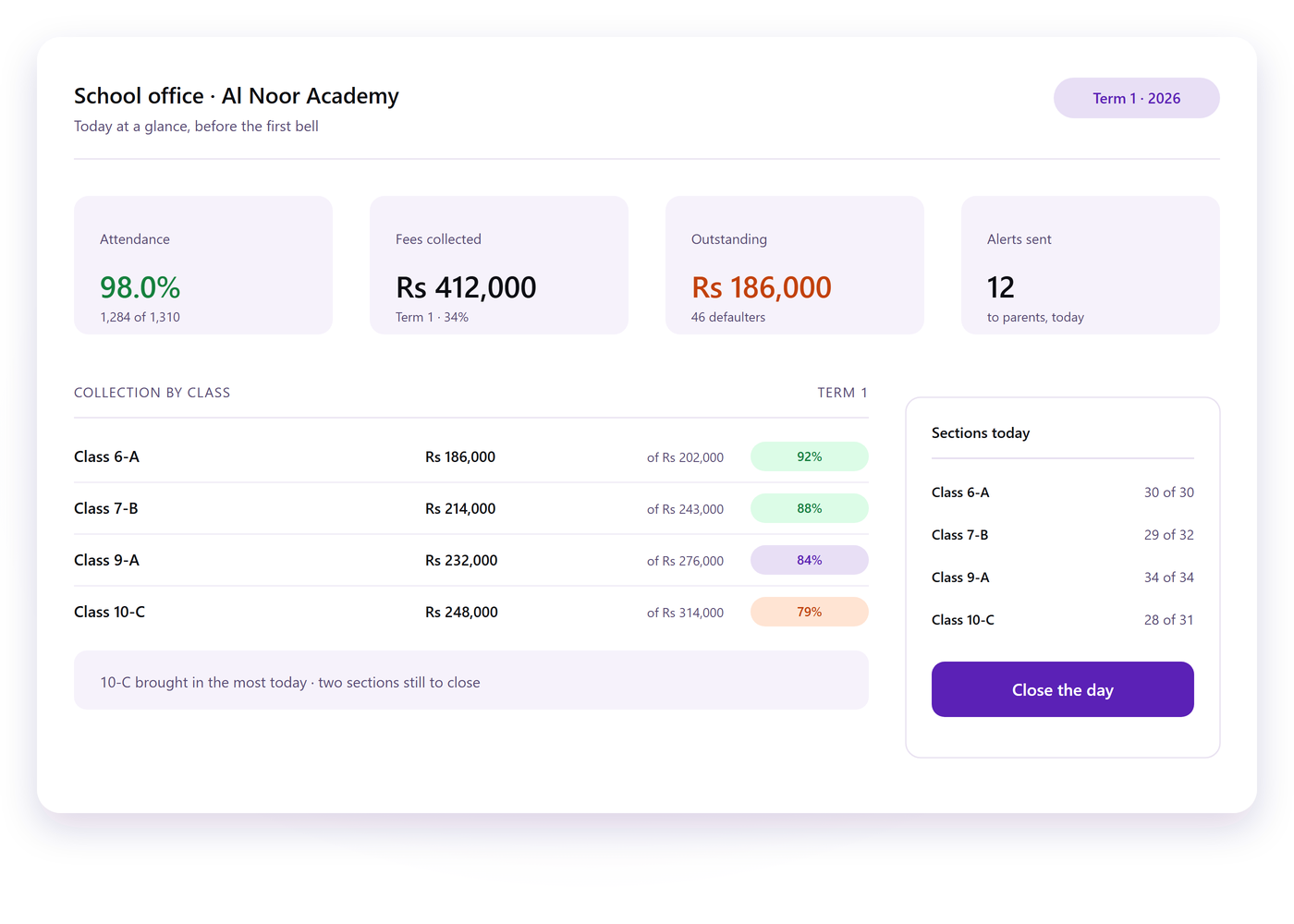
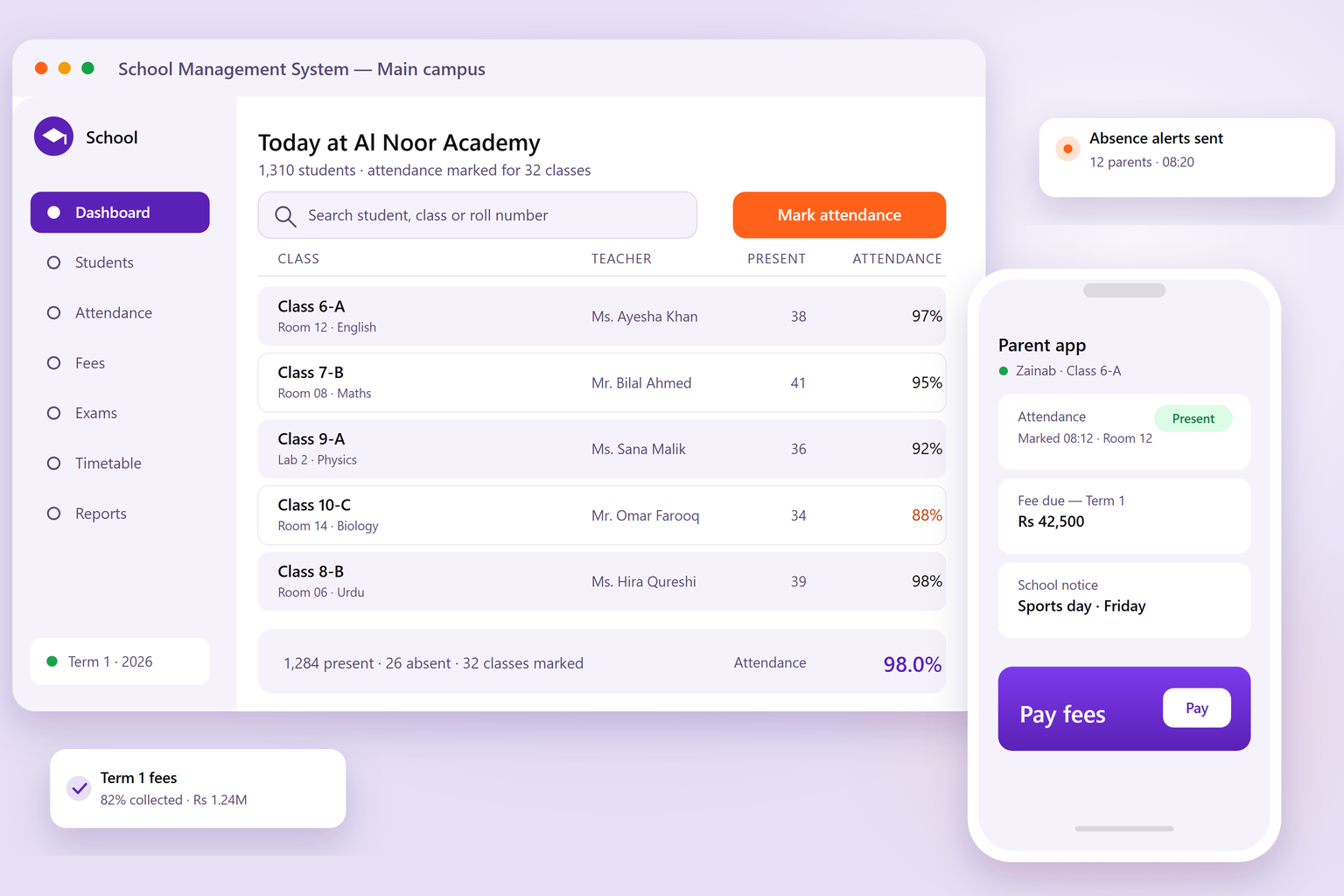
School Management System office dashboard showing today's attendance for each class with the teacher and percentage present, next to a phone with the parent app
At a glance

Built for the whole school day, from gate to gate

  • 1 System for admissions, attendance, fees and results
  • 6+ Campuses and sections served from one account
  • 24/7 Cloud access from any browser, on any device
  • 100% Cloud-hosted: no server room, no local install

Built for schools, colleges, academies and multi-campus groups.

What it does

Everything the admin office needs, in one place

Four jobs the platform takes off your staff, from the moment an application arrives to the report card that goes home.

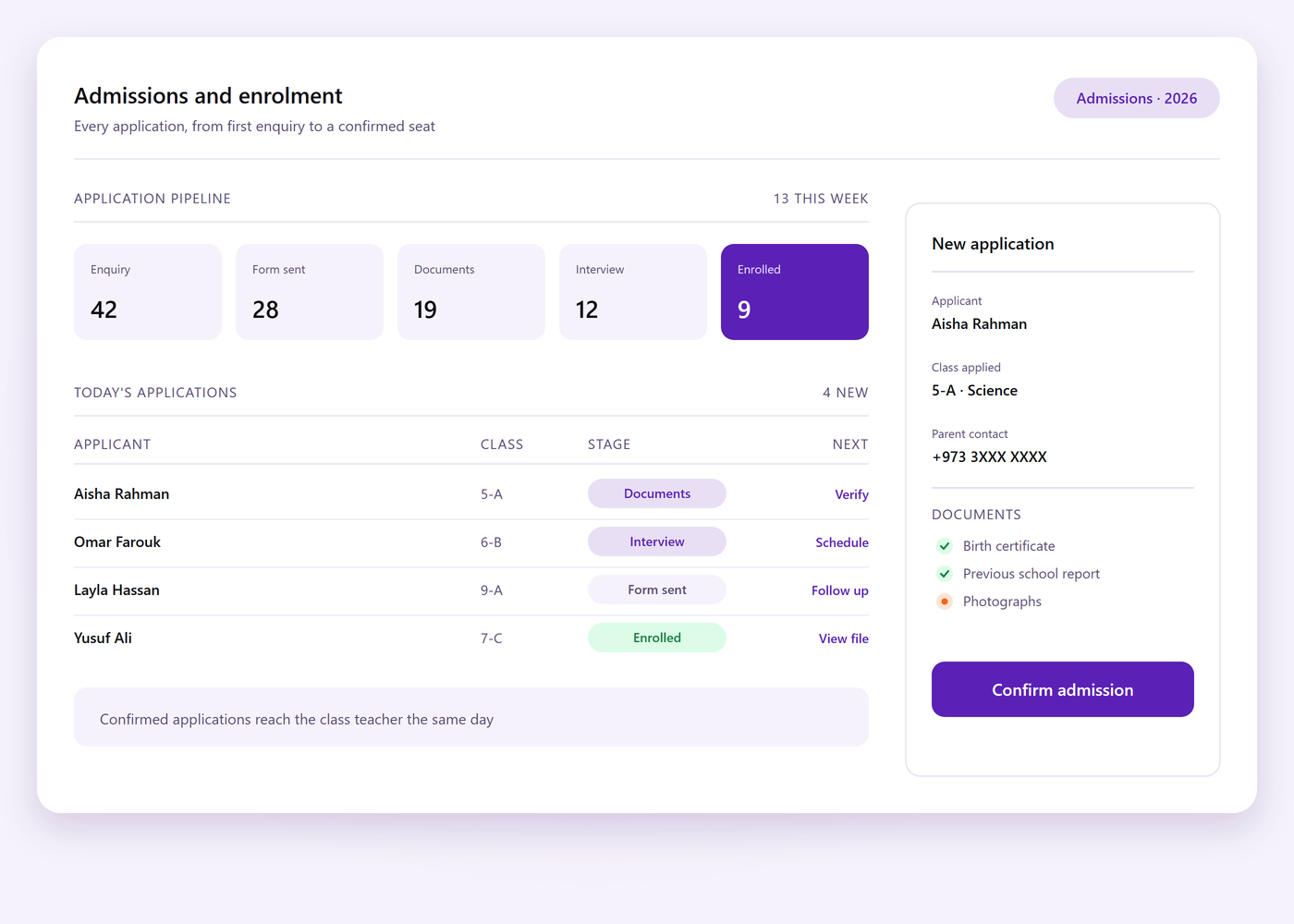
Admissions screen showing an application moving from enquiry to enrolled, with documents, class and section choices

Admissions without the paper file

Applications, documents, classes and sections are recorded once, so a new student is in the register, the fee ledger and the attendance list from day one.

  • From enquiry to enrolled Enquiries, forms, document checks and approvals follow one pipeline instead of a shelf of files.
  • Every sibling and section Families, siblings, concessions and section changes stay linked to the student record.
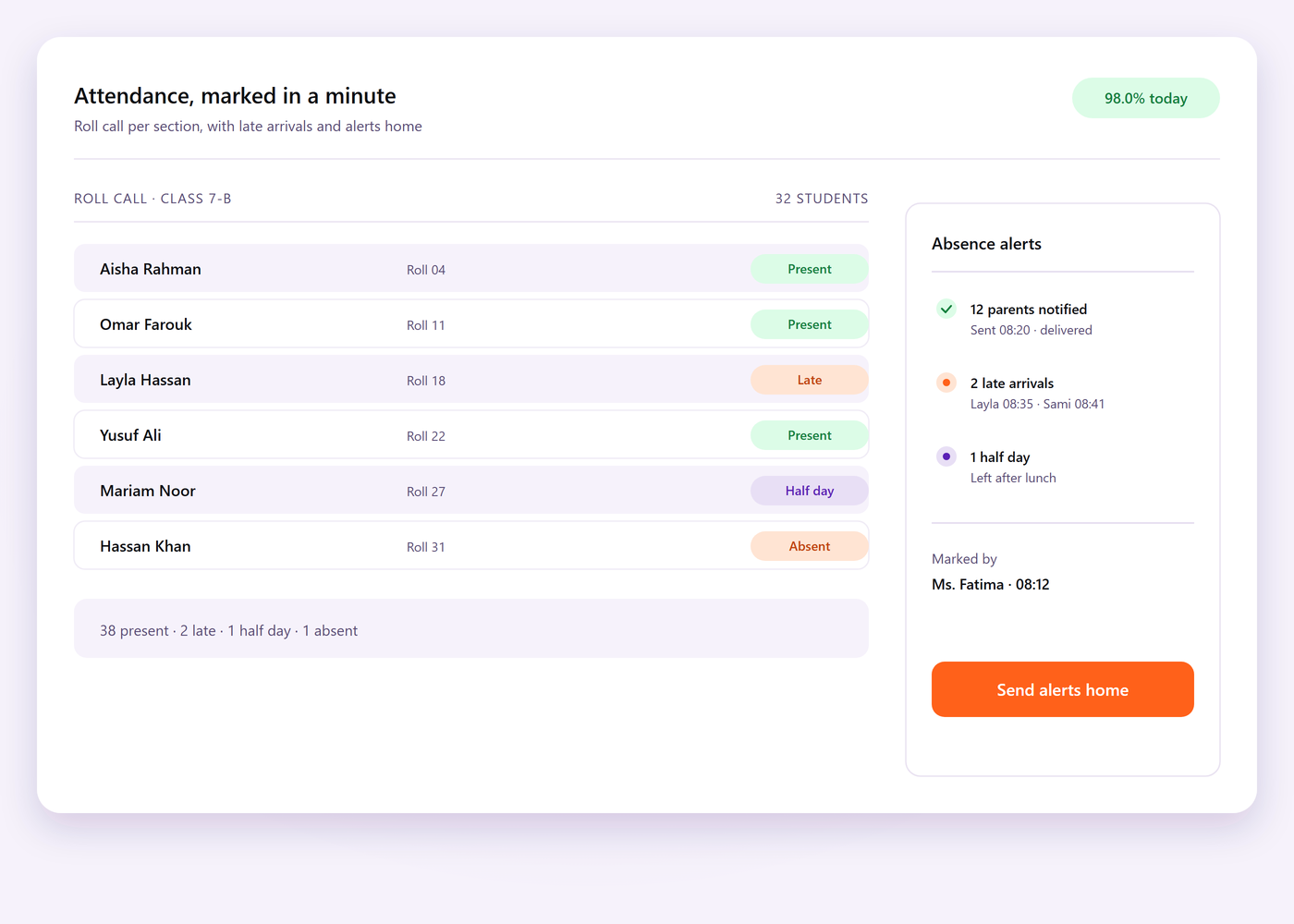
Attendance screen showing a class list marked for the day, with late arrivals, half-days and the absence alerts sent to parents

Attendance the teacher can mark in a minute

Mark a class from a tablet in the room, or let the gate reader do it. Absences, half-days and late arrivals post to the same register the office and the parents see.

  • Daily and per-period Class teachers mark daily attendance, and subject teachers take it period by period where it matters.
  • Absence alerts Parents hear the same morning, and long absences surface on the office dashboard.
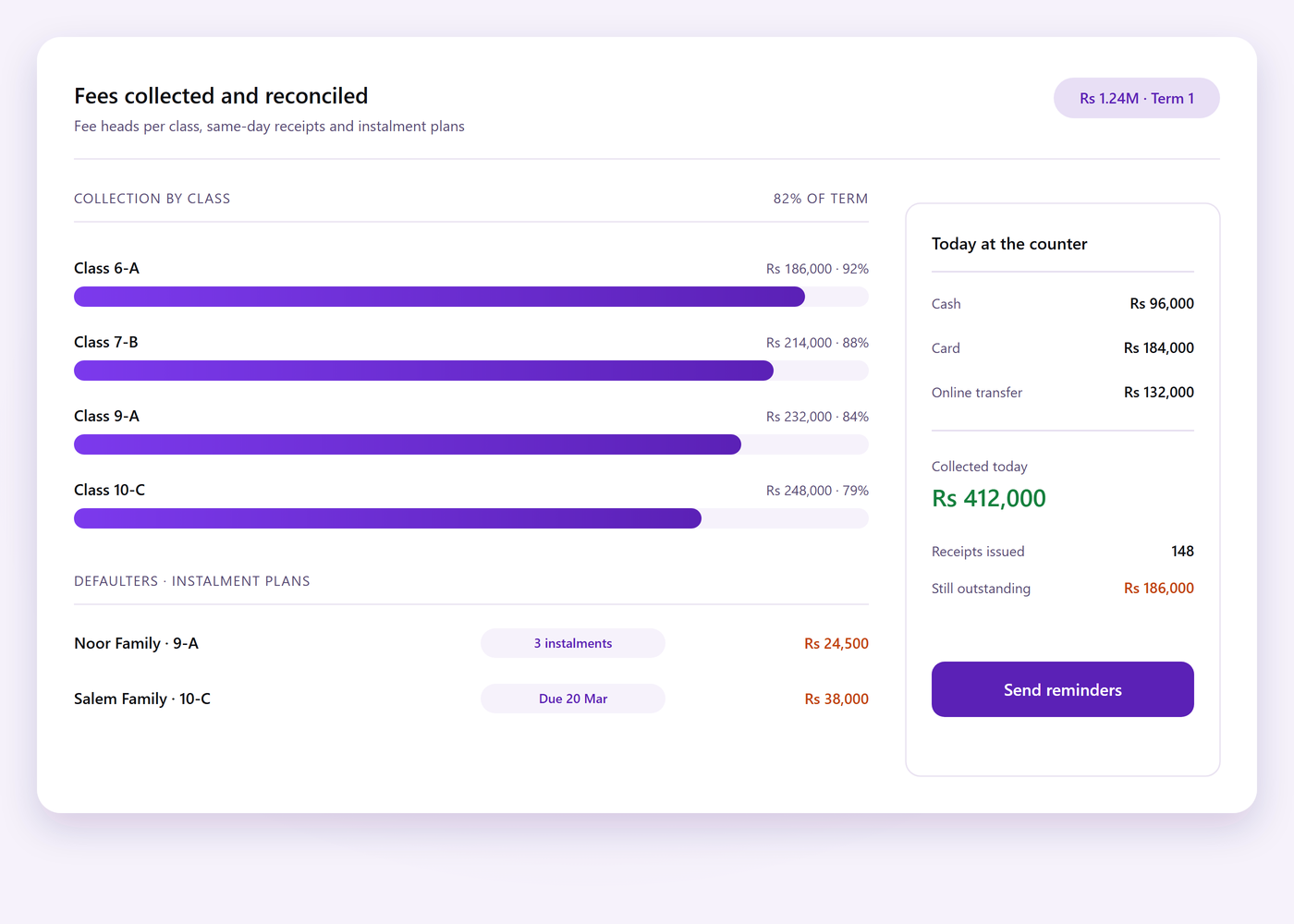
Fee counter screen showing fee heads per class, today's collections and the list of defaulters with their instalment plans

Fees collected and reconciled the same day

Fee heads, instalments, concessions and fines are set per class once, then collected at the counter or online, with a receipt and a ledger entry for every payment.

  • No more chasing the fee book Defaulters, part payments and instalment plans are visible before a reminder goes out.
  • Every payment type Cash, card, bank transfer and online payments settle into one day-end summary.
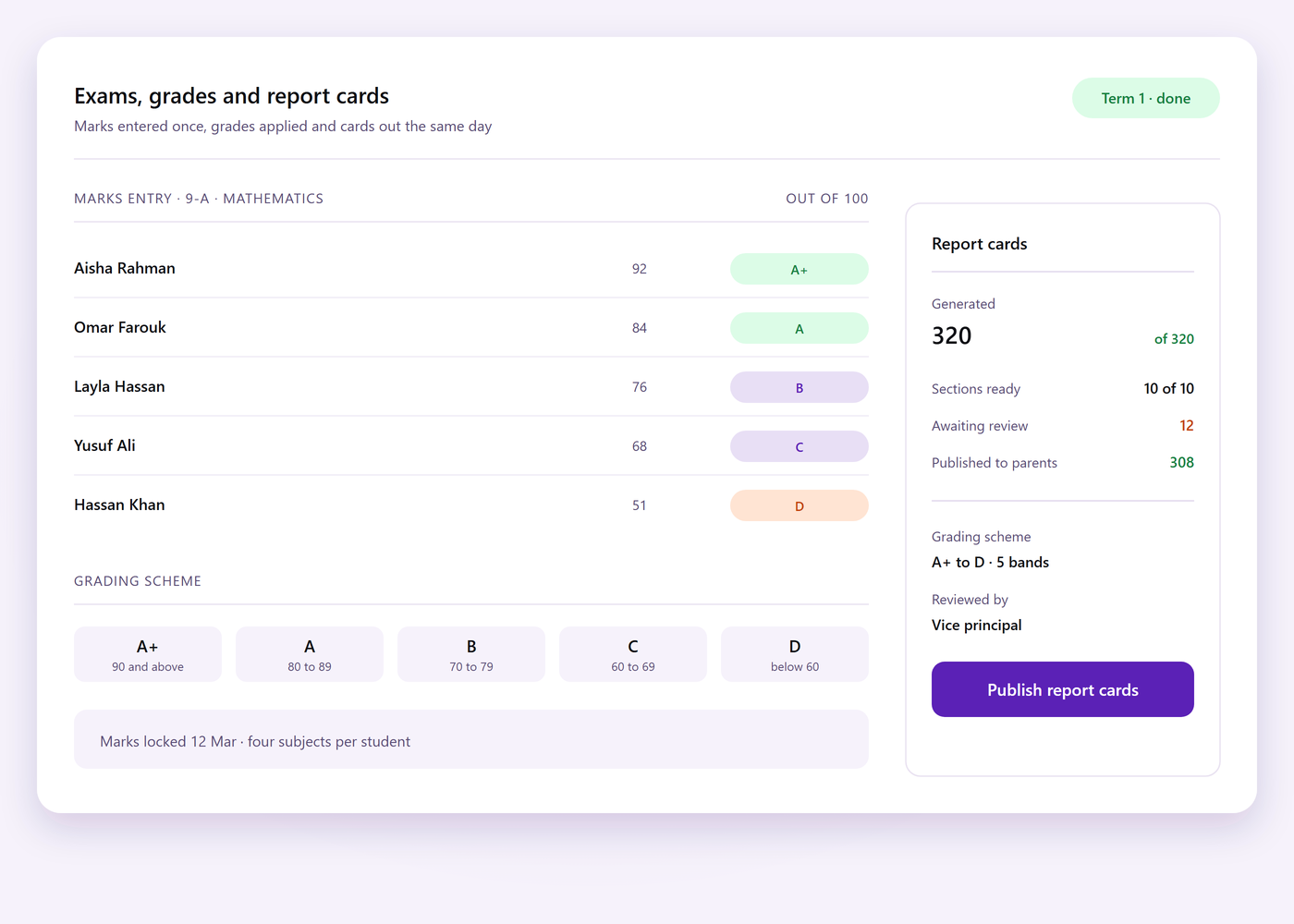
Exams screen showing marks entry by subject, the grading scheme applied to a class and report cards generated for the whole section

Results and report cards without the weekend

Marks, grades and weightings are configured per exam, teachers enter marks subject-wise, and report cards are generated for a whole class at once.

  • Exams, marks and grades Grading schemes, weightings and pass rules are set once and applied to every section.
  • Ready to share Report cards, transcripts and class performance summaries export as PDF or spreadsheet.
Why teams switch

Outgrown the register and the fee book?

The four things school administrators ask us for before they move over.

Cloud based

Open the office from any browser. Heads see attendance and collections live, wherever they are.

Never offline

Marking attendance and printing receipts keeps working when the internet drops, then syncs back.

One platform

Admissions, fees, attendance and exams read the same student record instead of separate registers.

Data at hand

Attendance, collections and dues are a tap away rather than a month-end reconciliation.

Under one platform

The everyday jobs, handled in the same system

Everything below is part of the product we build and support, not a bolt-on you have to buy later.

01

Student records

Admissions, guardians, documents and history stored once, searchable by roll number or name.

02

Attendance

Daily and per-period marking from the office, a classroom tablet or the gate reader.

03

Fees and receipts

Fee heads, instalments, concessions and defaulters, with a printed or online receipt for every payment.

04

Exams and results

Grading schemes, marks entry and report cards generated for a whole class at once.

05

Timetable and staff

Class timetables, teacher allocations and substitutions that follow the staff roster.

06

Reporting

Attendance, collection, dues and performance reports ready for the board or the auditor.

Going live

Rolled out with your staff, not left with a manual

Three short stages between signing off and your first morning assembly with the system live.

  1. Setup with your team

    Classes, sections, fee heads, grading schemes and staff roles are configured with the people who run the office.

  2. Data and go-live

    Student lists, opening fee balances and timetables are imported, then a supervised first week before you go solo.

  3. Training and support

    A short session for the office and the teachers, with support after launch and updates as the product grows.

Screens

Inside the platform

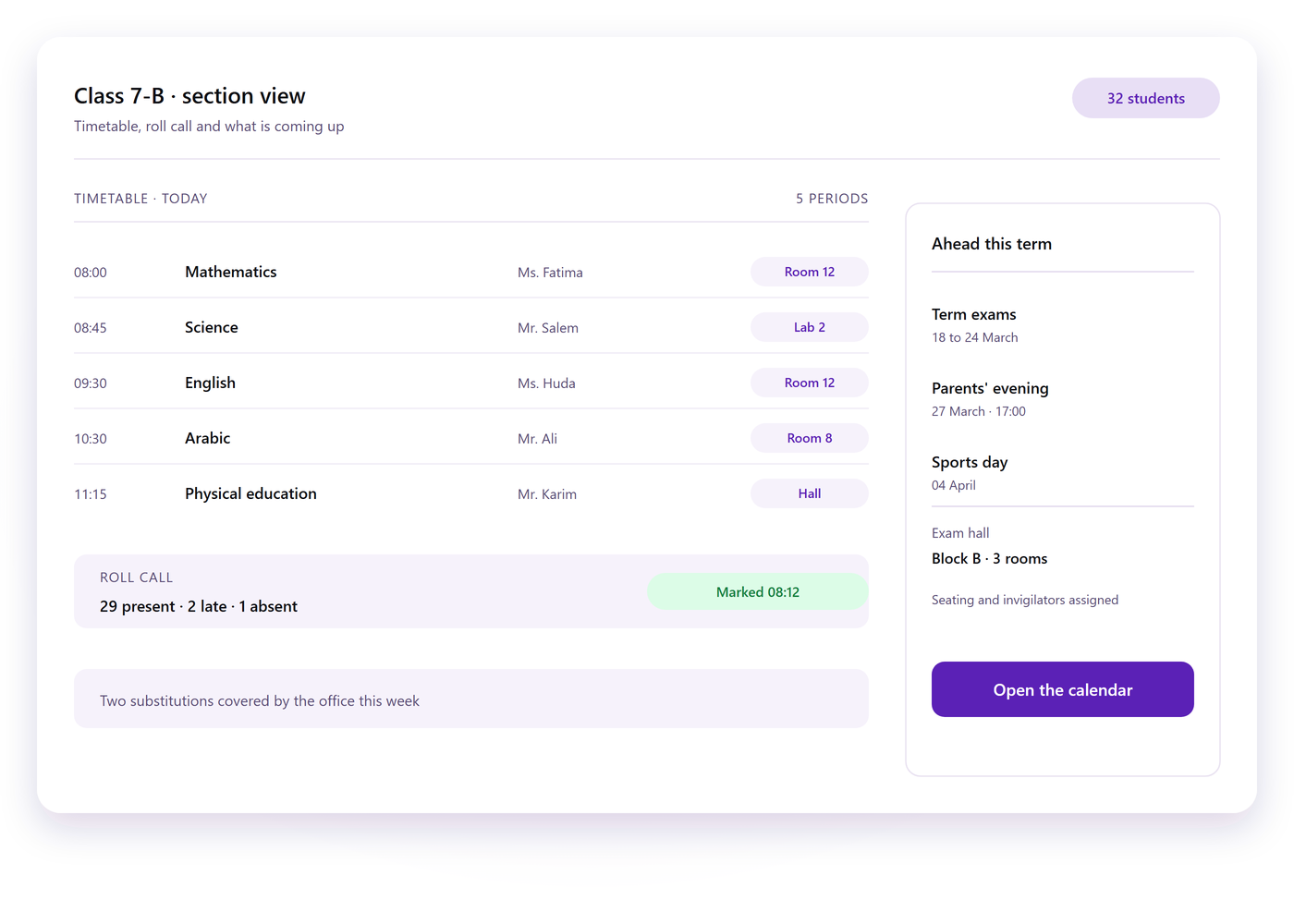
Two screens from the office dashboard and the classroom app.

Let's talk about your school

Tell us how many campuses and sections you run and how admissions, attendance and fees work today. We will walk you through the same attendance, collection and result reports running in School Management System.

Contact the team
AIDesign and brandingDigital MarketingDigital MenuE-CommerceMobile AppsWebsite design and development