BOOK A DEMO
Cloud inventory & stock control

Every item, every branch, one live ledger

Inventory Management System keeps stock, purchasing and suppliers on one cloud dashboard. It replaces the warehouse spreadsheet and the month-end stocktake with live quantities that update the moment goods are received, sold or transferred.

See the platform
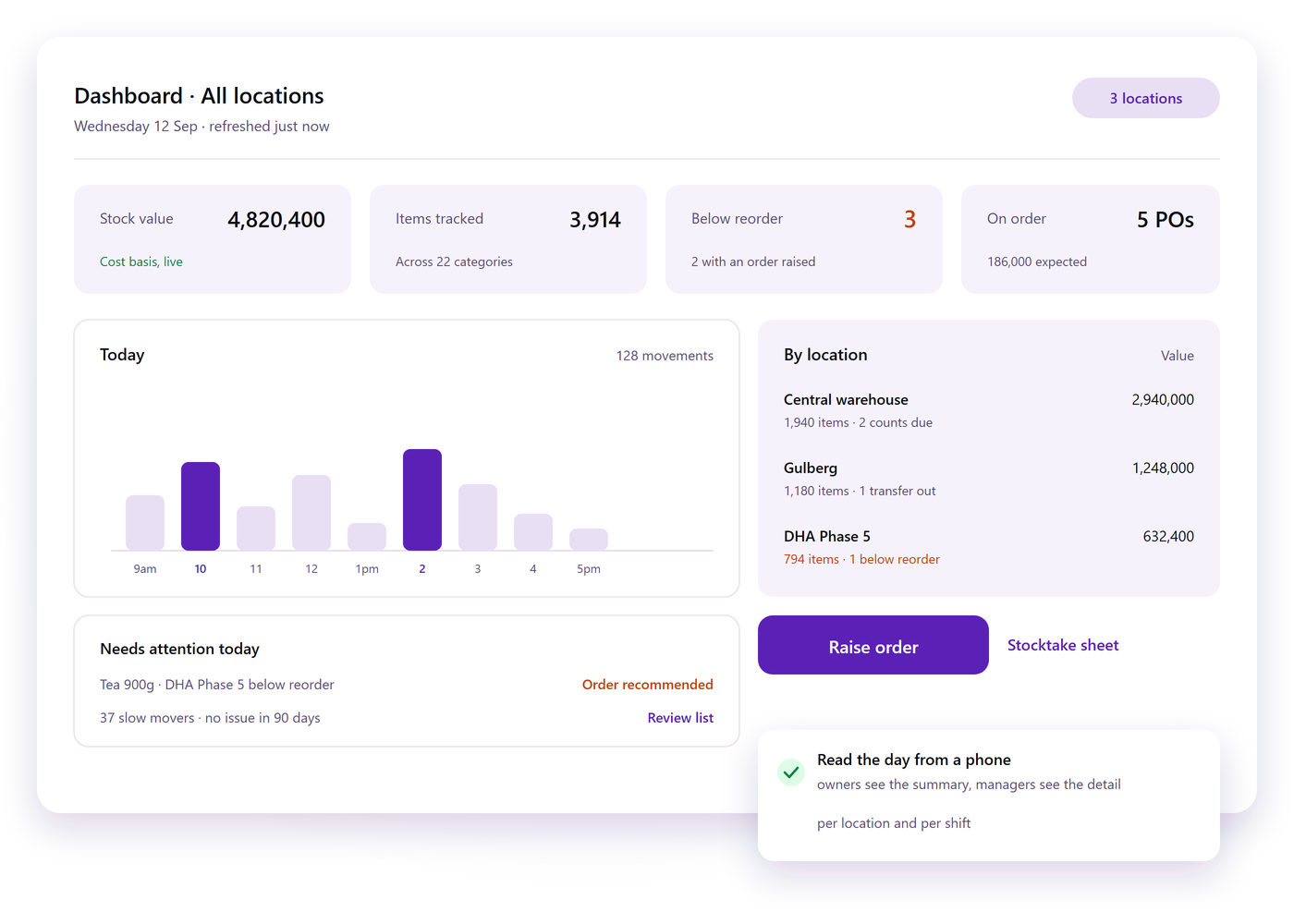
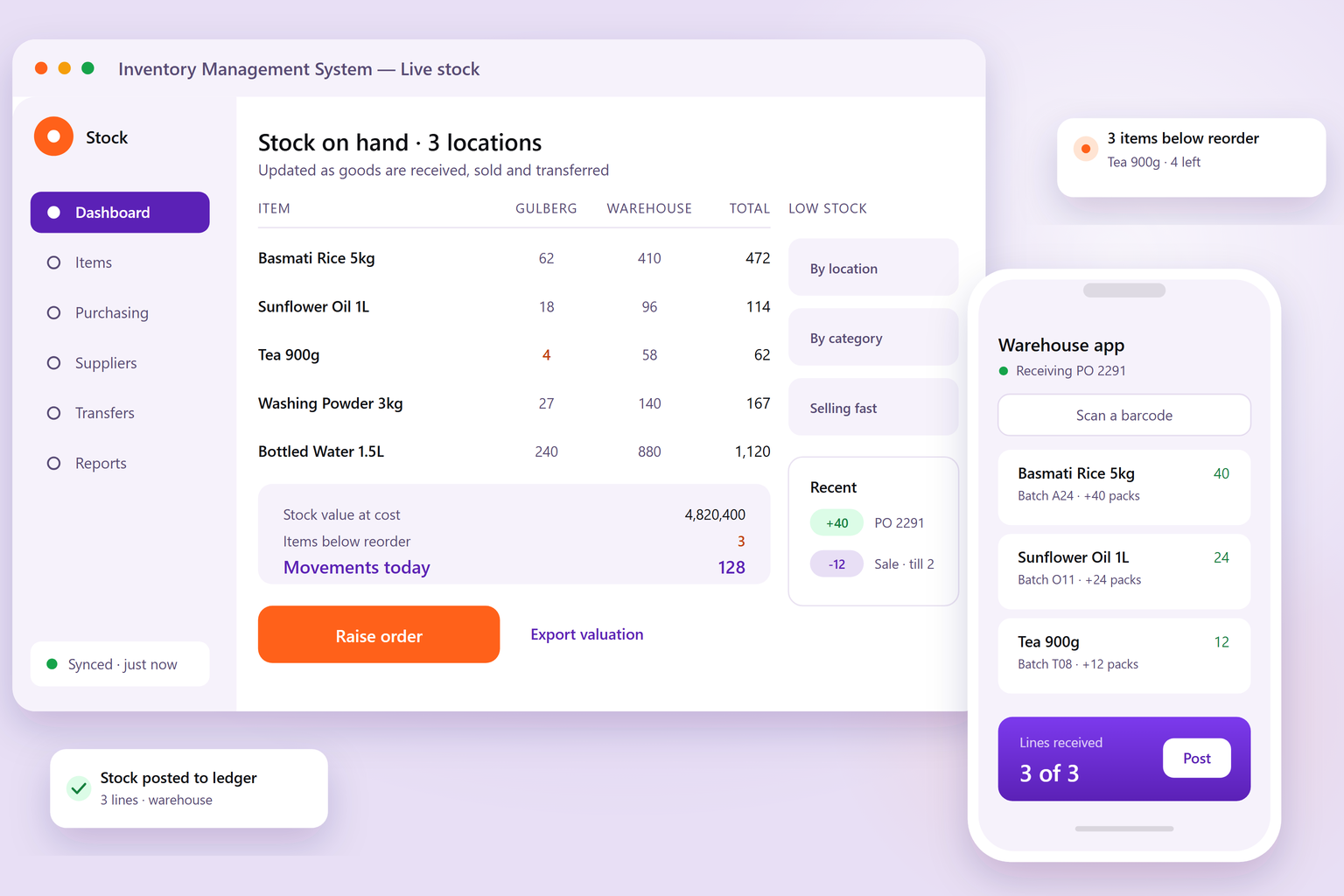
Inventory management dashboard with one row per item and a column per location, next to a phone scanning an item at the shelf
At a glance

Built to keep stock honest, all day

  • 1 Dashboard for stock, purchases, suppliers and reports
  • 6+ Locations and warehouses tracked from one account
  • 24/7 Cloud access from any browser, on any device
  • 100% Cloud-hosted: no server room, no local install

Built for retailers, distributors, pharmacies, restaurants, workshops and multi-branch warehouses.

What it does

Everything the store needs, in one place

Four jobs the platform takes off your team, from the moment goods arrive at the door to the valuation you hand your accountant.

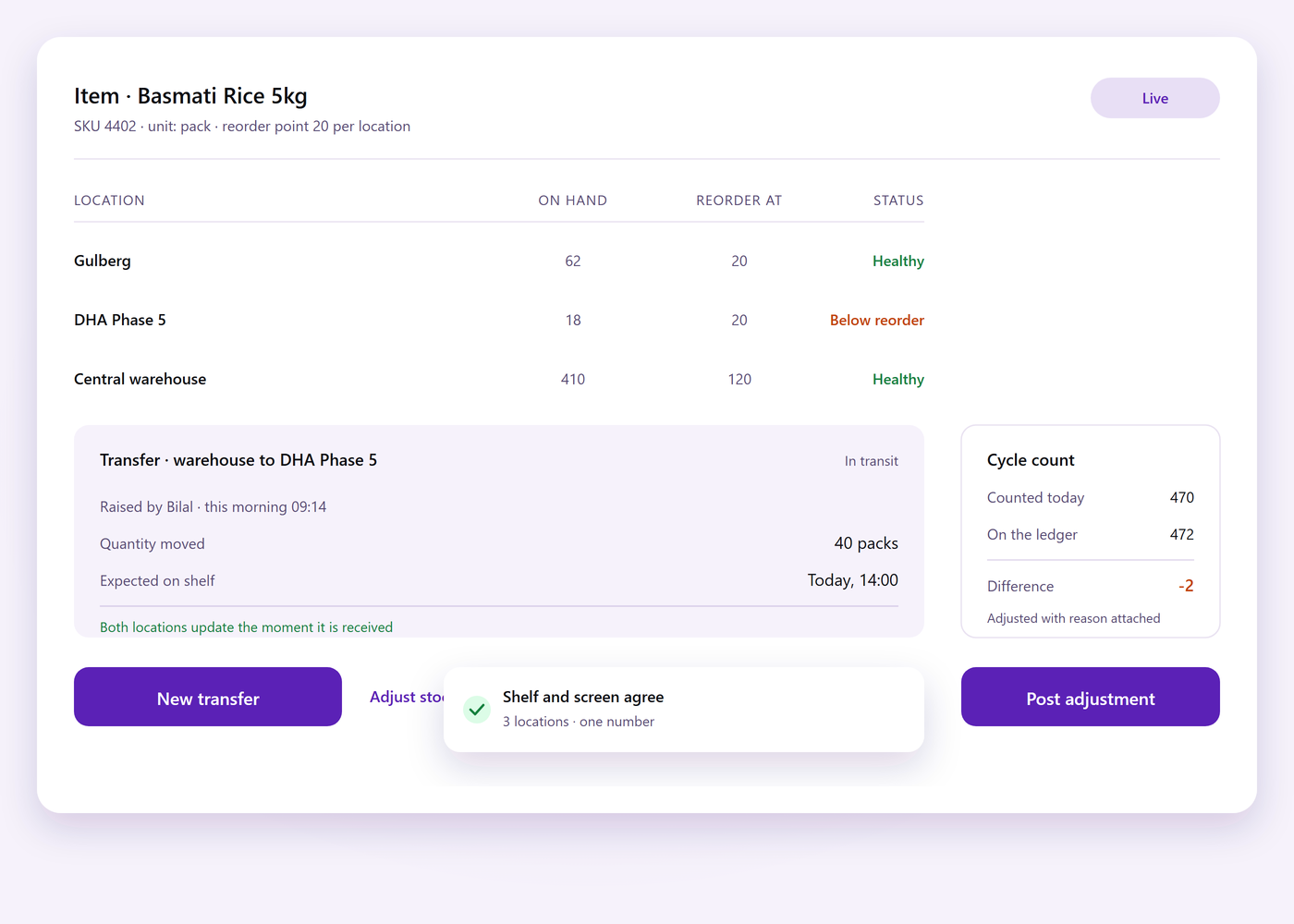
Stock screen showing quantities per location with reorder points, a branch transfer and a cycle count posting to the ledger

Live stock levels across every location

Quantities update the moment goods are received, sold, transferred or adjusted, so the number on screen is the number on the shelf.

  • No stocktake surprises Cycle counts and adjustments post straight to the ledger, so differences surface daily instead of at month end.
  • Reorder before it hurts Minimum levels per item and per location raise a low-stock alert before the shelf runs empty.
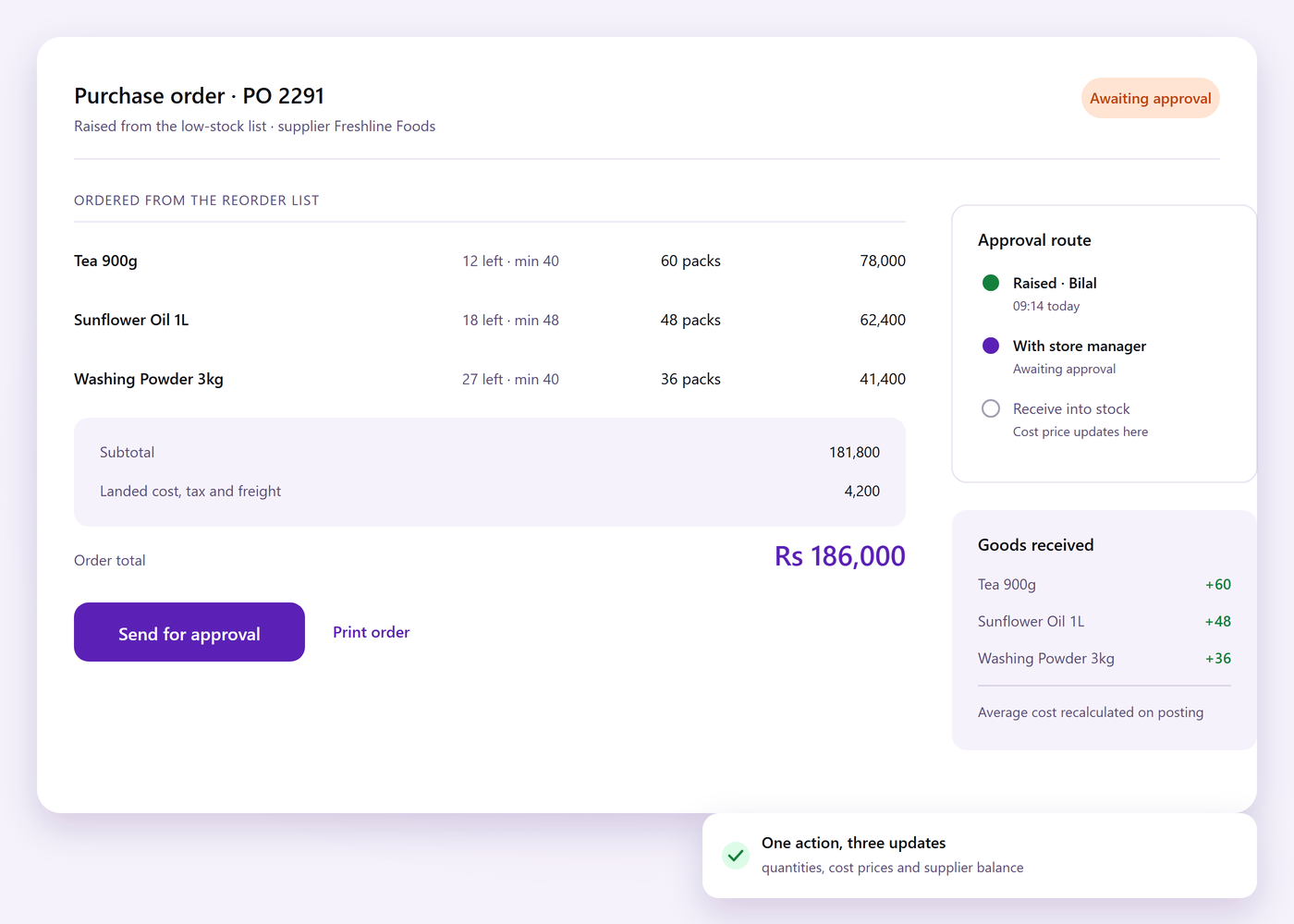
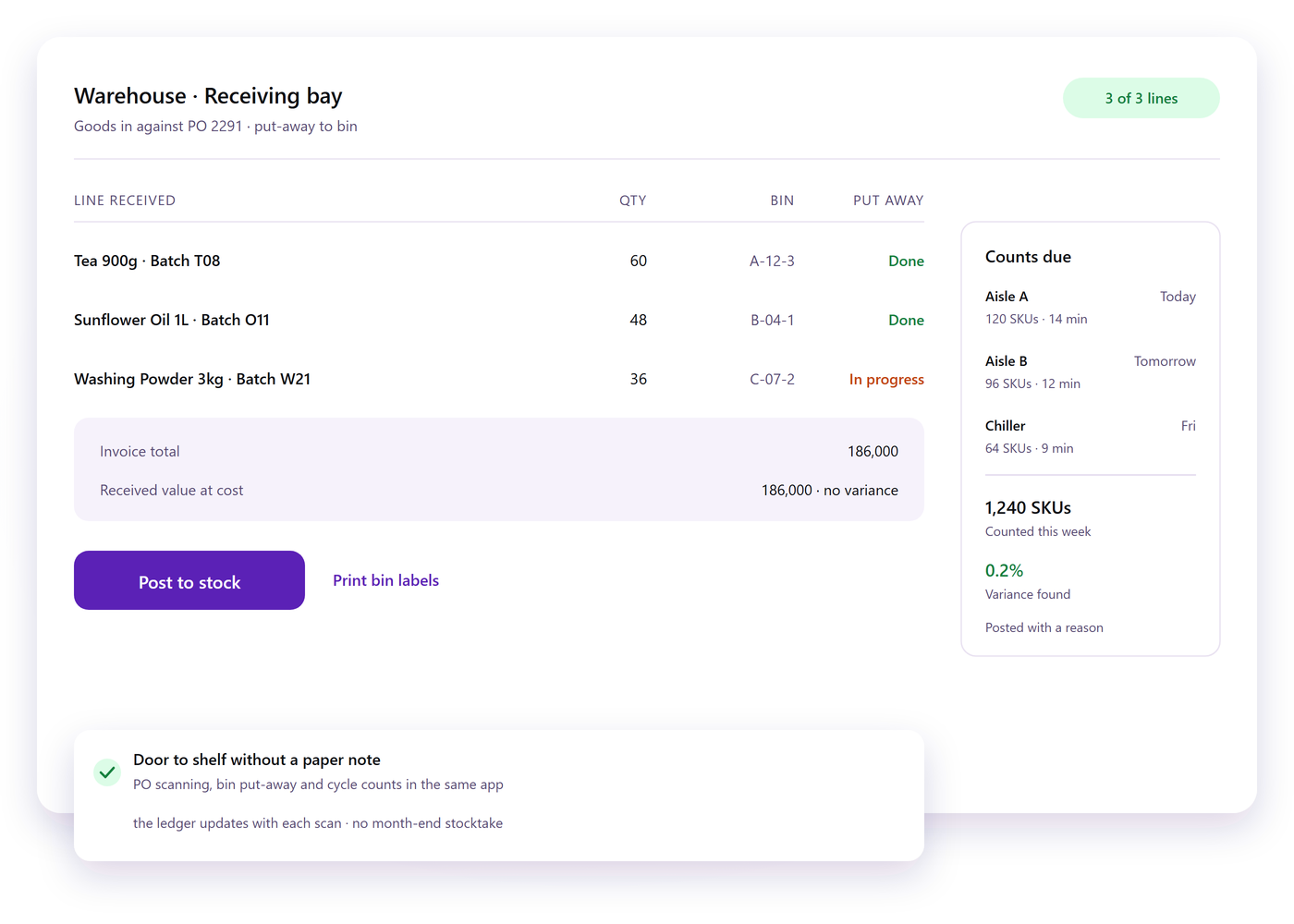
Purchase order raised from the low stock list, an approval step in the same flow, and goods received against the order

Purchasing that follows the stock

Raise a purchase order from the low-stock list, receive it against that order, and quantities, cost prices and supplier balances update in the same step.

  • Approvals in one flow Requests route to the right approver with the order history attached, so nothing waits in an inbox.
  • Costs that stay current Landed cost, discounts and taxes roll into the average cost of every item automatically, not at year end.
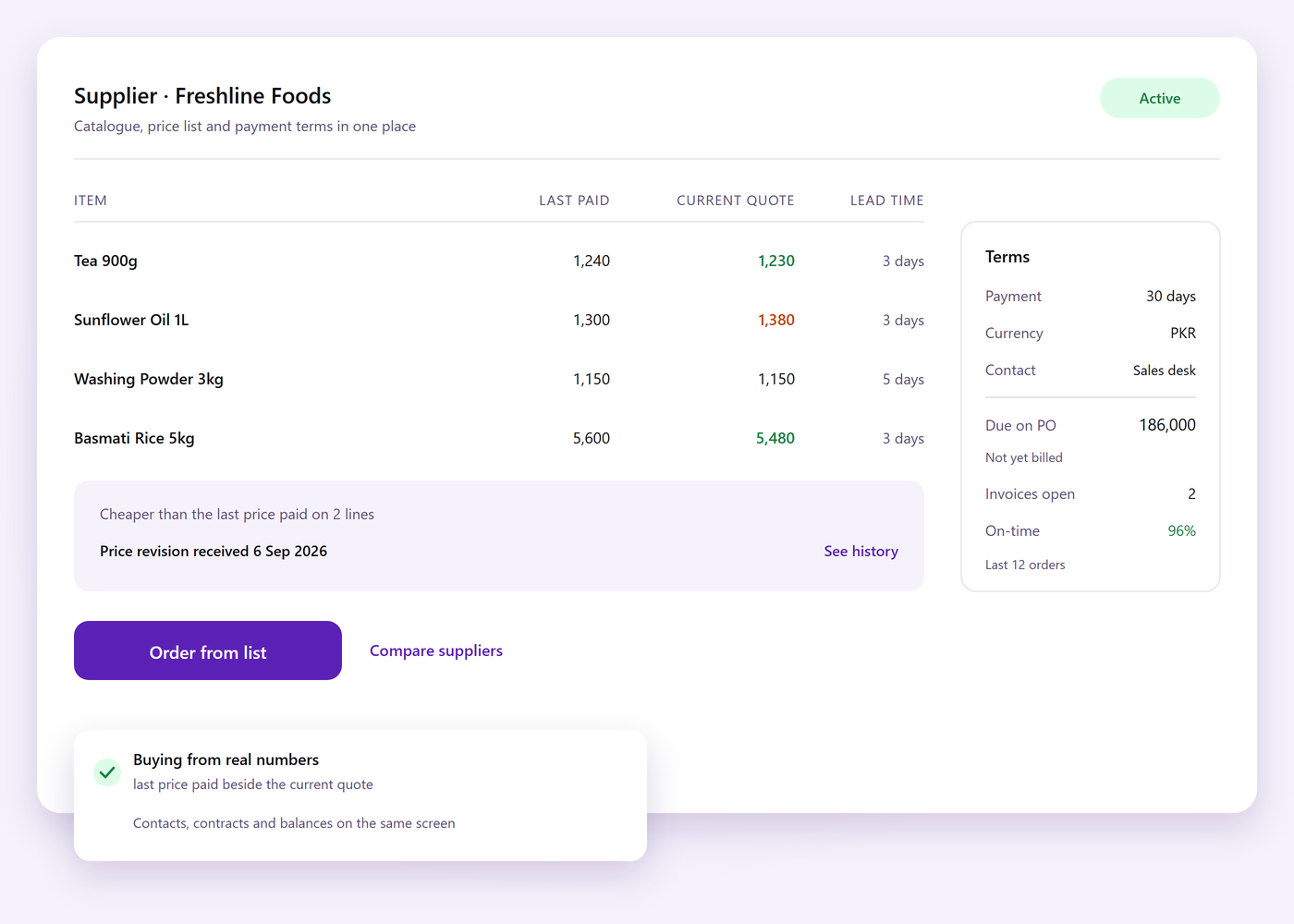
Supplier catalogue showing each supplier's items, the last price paid beside the current quote, payment terms and outstanding balance

Suppliers and pricing in one place

Every supplier's catalogue, price list and payment terms sit next to the items they supply, so buying decisions come from real numbers rather than memory.

  • Compare before you buy The last price paid and the current quote sit side by side for every item you reorder.
  • Cleaner supplier records Contacts, contracts and outstanding balances are available to whoever is raising the order.
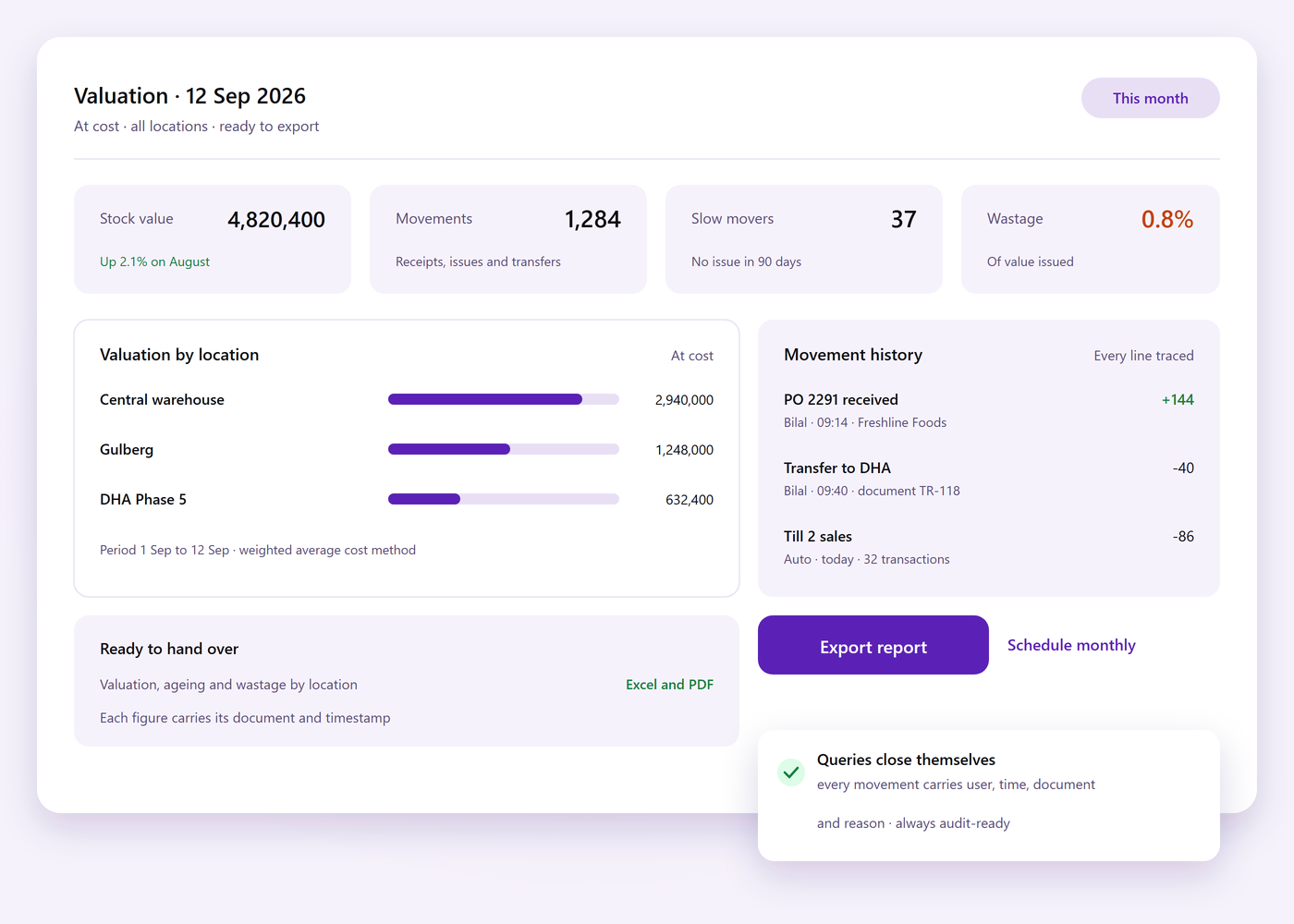
Stock valuation by location with movement history, ageing, wastage and an export ready for the accountant

Reports the accountant will accept

Valuation, movement history, ageing, wastage and consumption by branch are ready to export. Owners read stock from a phone; managers get the detail per location.

  • Decisions from data Spot slow movers, dead stock and best sellers while there is still time to order differently.
  • Audit-ready trail Every movement carries its user, timestamp, document and reason, so queries close themselves.
Why teams switch

Outgrown the stock spreadsheet?

The four things owners ask us for before they move over.

Cloud based

Open stock from any browser. Owners and branch managers read the same live numbers.

Barcode ready

Scan items in and out from a phone or handheld — no manual entry at the counter.

One platform

Purchasing, sales, warehouse and accounts post to the same stock ledger instead of trading figures over chat.

Data at hand

Valuation, ageing and movement figures are a tap away rather than a month-end guess.

Under one platform

The everyday jobs, handled in the same system

Everything below is part of the product we build and support, not a bolt-on you have to buy later.

01

Item catalogue

Items, variants, units of measure, barcodes and images are defined once and reused everywhere.

02

Multi-location stock

Every branch, store and van keeps its own quantity, with transfers recorded end to end.

03

Purchase orders

Create, approve, receive and return against a supplier order without leaving the system.

04

Barcode scanning

Scan to receive, pick, transfer or count using the phone already in your pocket.

05

Alerts and reorder

Low-stock and expiry alerts per location, with a suggested reorder quantity for each item.

06

Reporting and integrations

Valuation, ageing and consumption reports, plus one connection to your accounting package.

Going live

Rolled out with you, not left with a manual

Three short stages between signing off and running your first delivery on it.

  1. Setup with your team

    Locations, item categories, units, taxes and user roles are configured with the people who run the store.

  2. Data and go-live

    Your opening stock and supplier list are imported, then a supervised first receiving before you go solo.

  3. Training and support

    A short session with the counter and warehouse team, with support after launch and updates as the product grows.

Screens

Inside the platform

Two screens from the dashboard and the warehouse app.

Let's talk about your stock

Tell us how many locations you run and how stock is tracked today. We will walk you through the same items, purchases and valuations running in Inventory Management System.

Contact the team
AIDesign and brandingDigital MarketingDigital MenuE-CommerceMobile AppsWebsite design and development